Managing Property Listings on BALL
Managing Property Listings on BALL
Discover how to manage and update your property listings on your VIP Dashboard to maximize visibility and sales.
- Access Your Dashboard
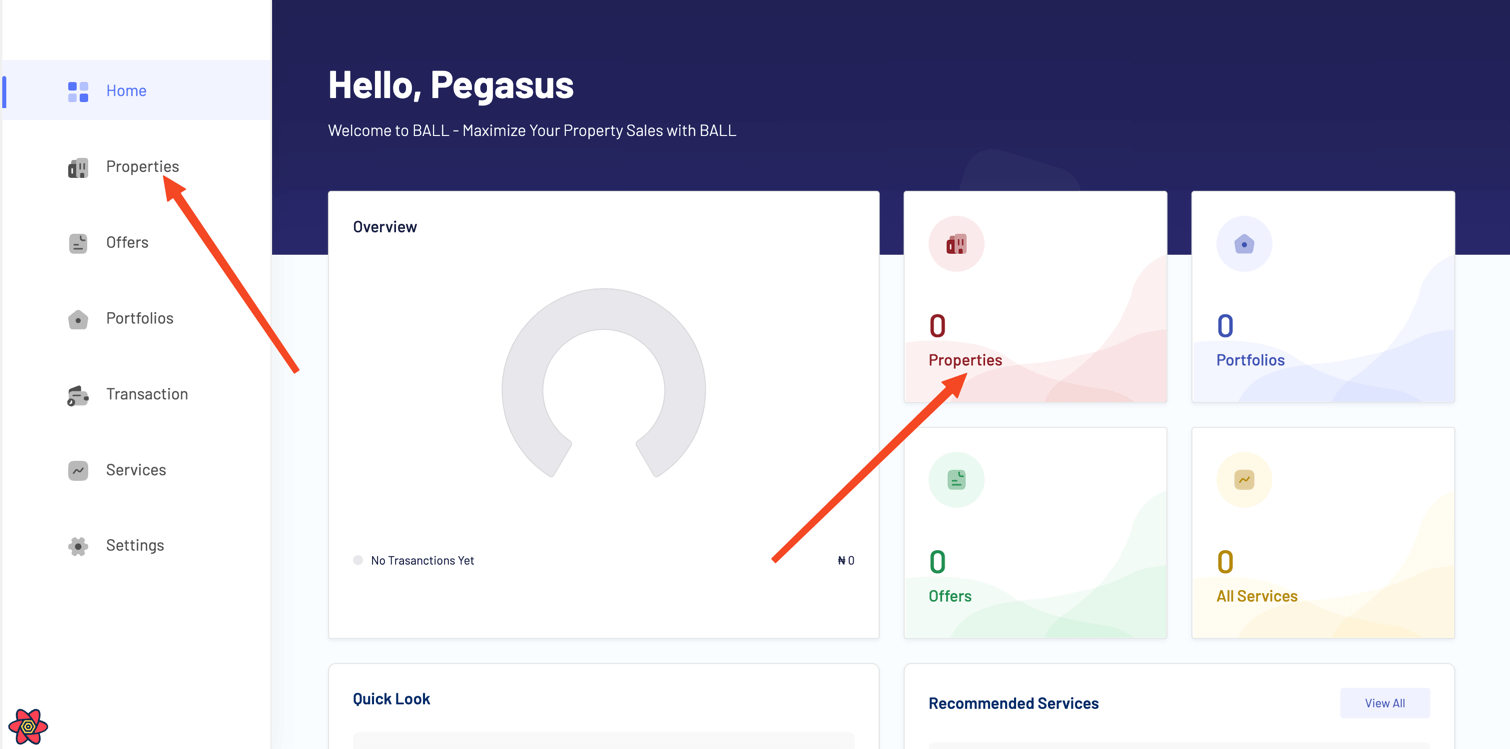
Log in to your BALL account and navigate to your dashboard. Click on the property card or 'Properties' in the sidebar.
- Add New Property
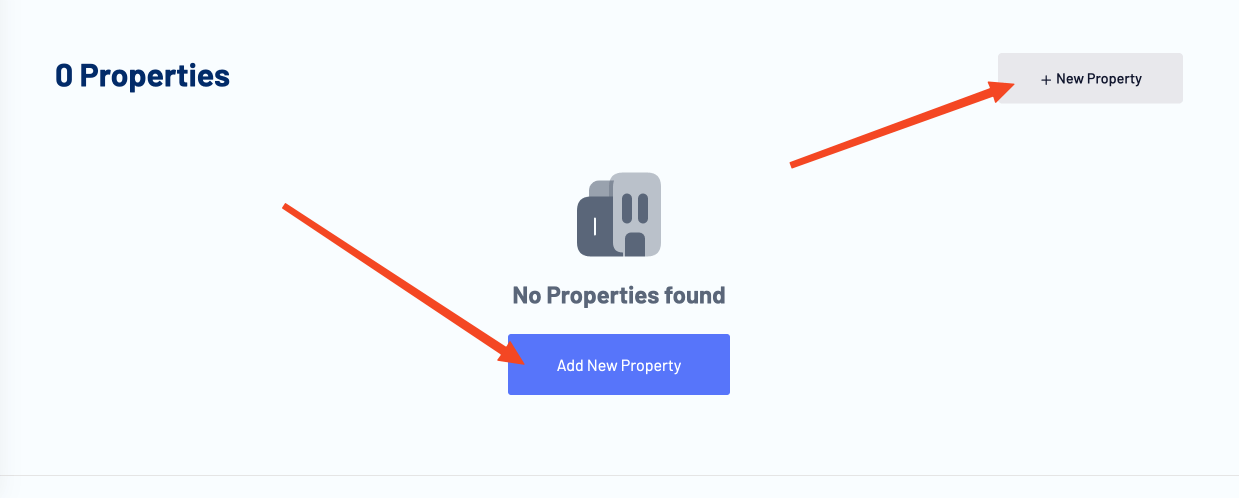
Click on the 'Add New Property' button to create a new property listing. Fill in the required details, such as property type, location, price, and description, and upload high-quality images to showcase your property effectively.
Tip: High-quality images attract more potential buyers. Make sure your images are clear and well-lit. Info: We offer professional Photography services to help you capture your property in the best light. Contact us for more information. - View Existing Property
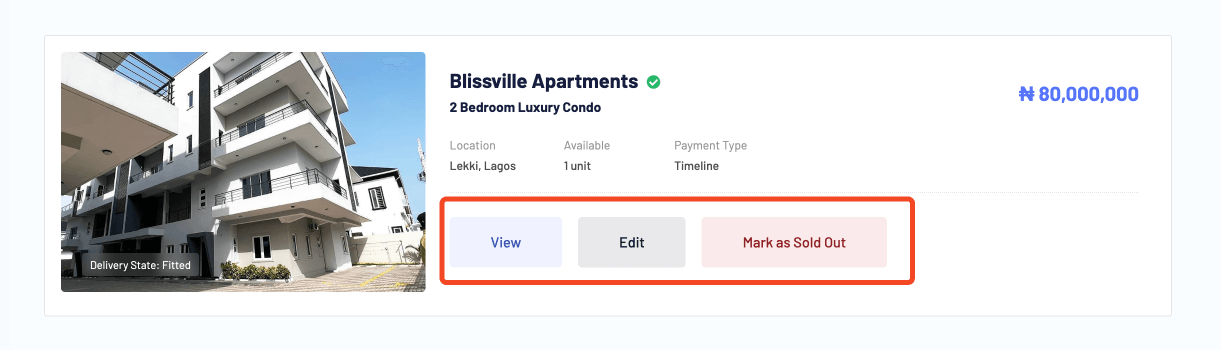
Examine the details of your listed properties. Make sure that all the information is correct and update any details if necessary.
- Property Approval
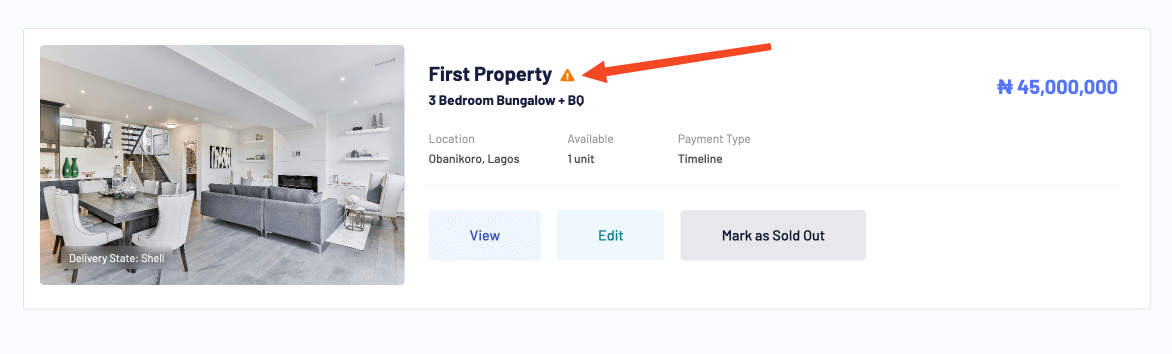
The exclamation mark icon indicates that your property listing is pending approval. Once approved, your property will be visible to potential buyers. If your property is not approved, review the guidelines and make the necessary changes to meet the requirements.
- Edit Existing Property
Review and edit your existing property listings as needed. Update property details, photos, pricing information, and descriptions to keep your listings accurate and up to date.
Warning: Regularly updating your listings helps maintain their relevance and can lead to higher engagement. - Remove Sold Properties
Mark properties as sold or remove them from your listings once they have been sold or are no longer available. This helps maintain the relevance and accuracy of your listings for potential buyers.
Tip: Keeping your listings up-to-date with sold status improves the credibility of your account. - Stay Informed with Notifications
Monitor your notifications to receive alerts and updates on listing activity, inquiries, and buyer interactions. Stay informed in real-time and take timely actions to manage and respond to buyer interest effectively.
Discover how to manage and update your property listings on your VIP Dashboard to maximize visibility and sales.
BALL Docs covers all features of the platform, including property management, user accounts, VIP services, and support resources. Each page is written to help users complete tasks efficiently & successfully.
Users can find detailed instructions, example scenarios, and guidance on best practices to navigate the BALL platform, make informed decisions, and achieve homeownership goals in Nigeria.
This documentation is designed for homeowners, investors, and platform users seeking step-by-step tutorials, tips, and advice. By following these guides, users can optimize their use of BALL and stay informed about new features & updates.
Whether you are looking to manage your account, explore properties, or access support resources, this documentation provides the insights and instructions needed for a smooth and successful experience.