Adding Property Listings on BALL
Adding Property Listings on BALL
Learn how to add your properties to BALL and attract potential buyers with easy listing creation tools.
- Access Your Dashboard
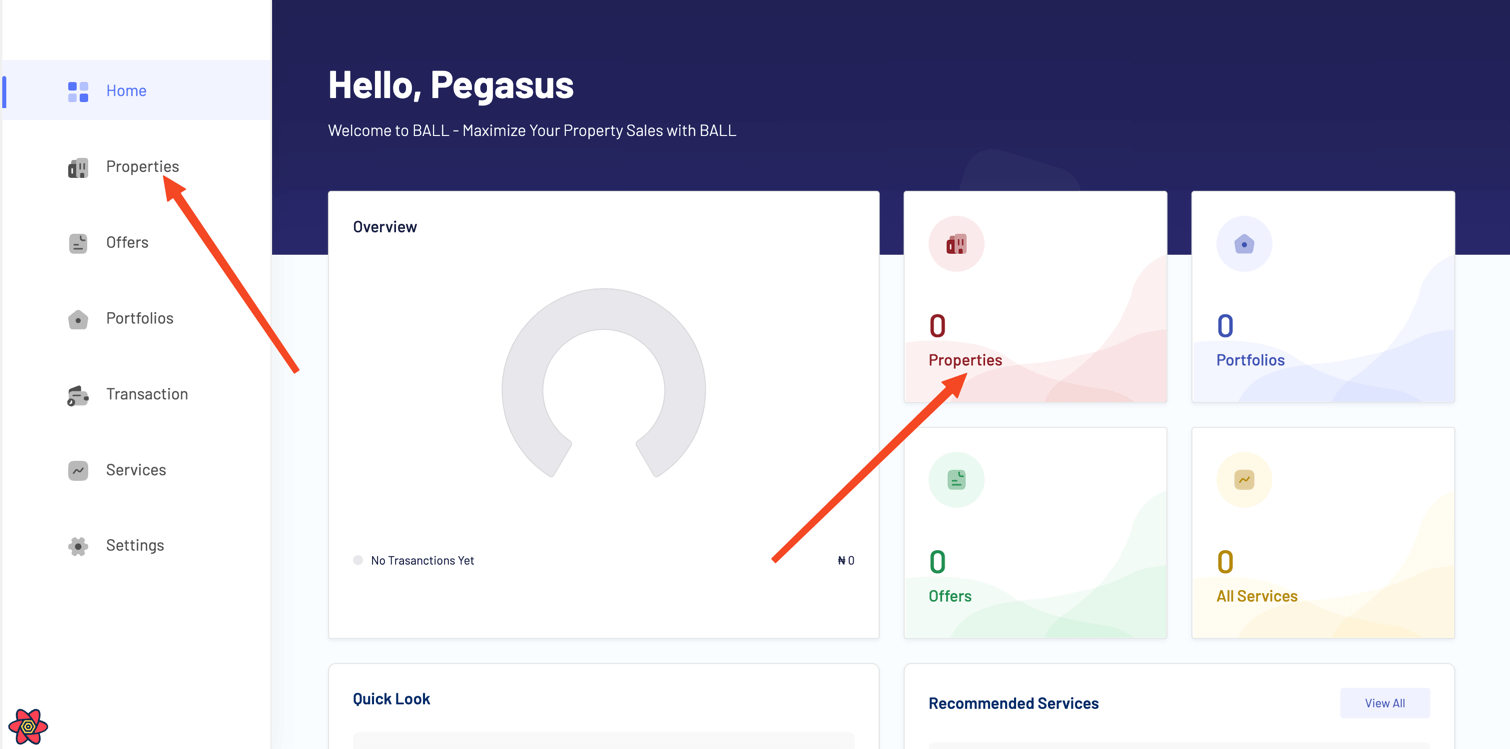
Log in to your BALL account and navigate to your dashboard. Click on the property card or 'Properties' in the sidebar.
- Add New Property
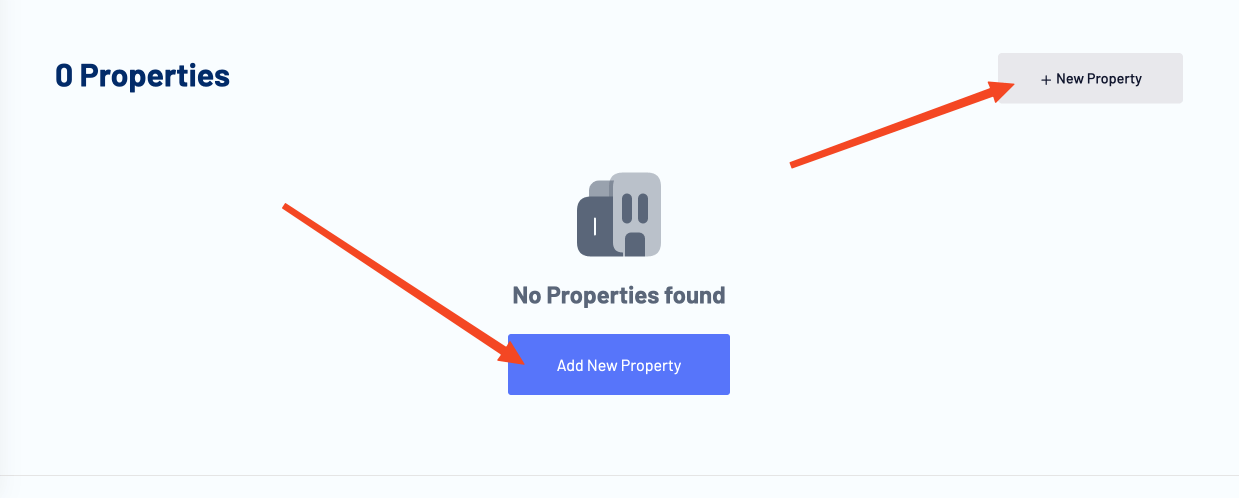
Click on the 'Add New Property' button to create a new property listing. Fill in the required details, such as property type, location, price, and description, and upload high-quality images to showcase your property effectively.
Tip: High-quality images attract more potential buyers. Ensure your images are clear and well-lit. Info: We offer professional photography services to help you capture your property in the best light. Contact us for more information. - Add Property Information
Provide detailed information about your property, such as the name, number of bedrooms, bathrooms, and other amenities.

Tip: You can manually type your house type by clicking 'Type Manually'. Switch back to the dropdown by clicking 'Select House Type'. 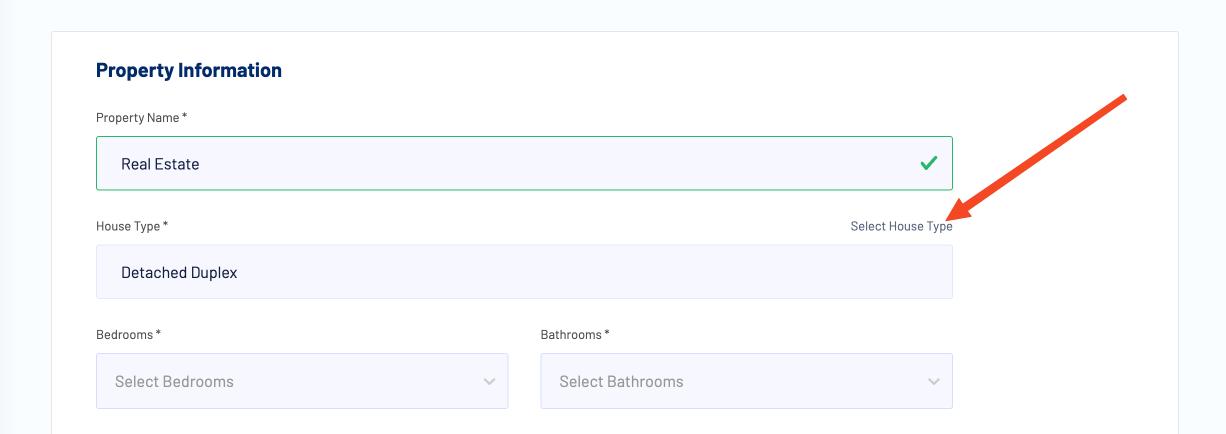
Info: Add additional features by typing the new feature and pressing a comma to include it. 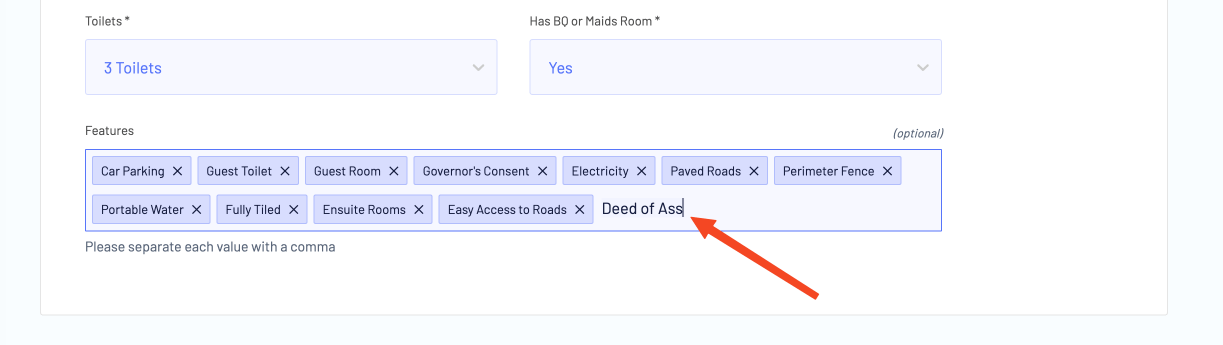
- Add Property Details
Provide detailed information about your property, including price, units, title document, pricing model, and delivery state.
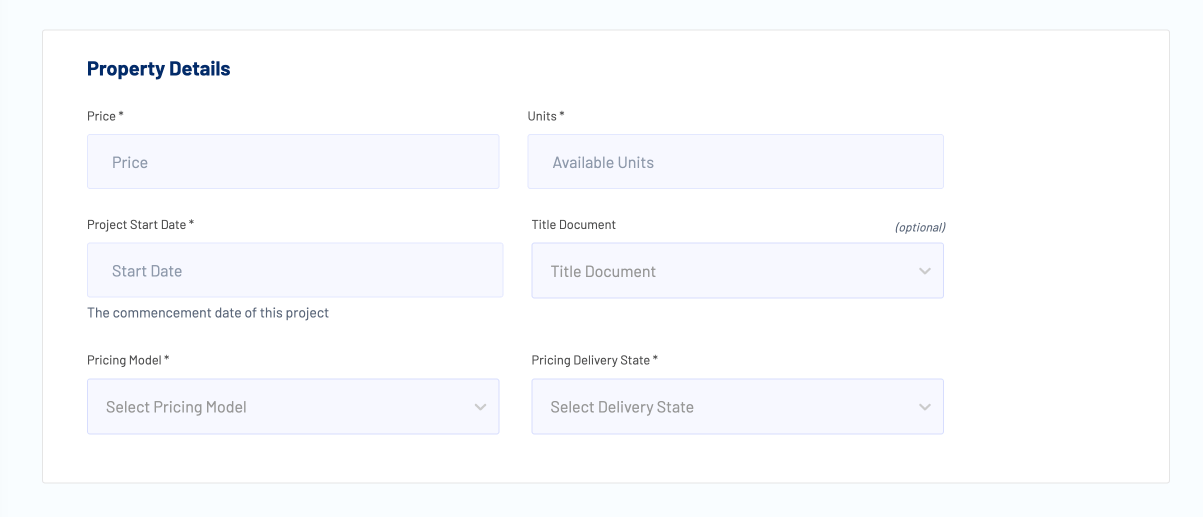
Warning: Update the property units to reflect the number of units available for sale. Info: We support the following pricing models: Outright, Timeline, and Milestone payments. Learn more about them here. - Add Property Address
Provide the address of the property, including the street address, city, and state. Currently, only properties in Nigeria are supported.
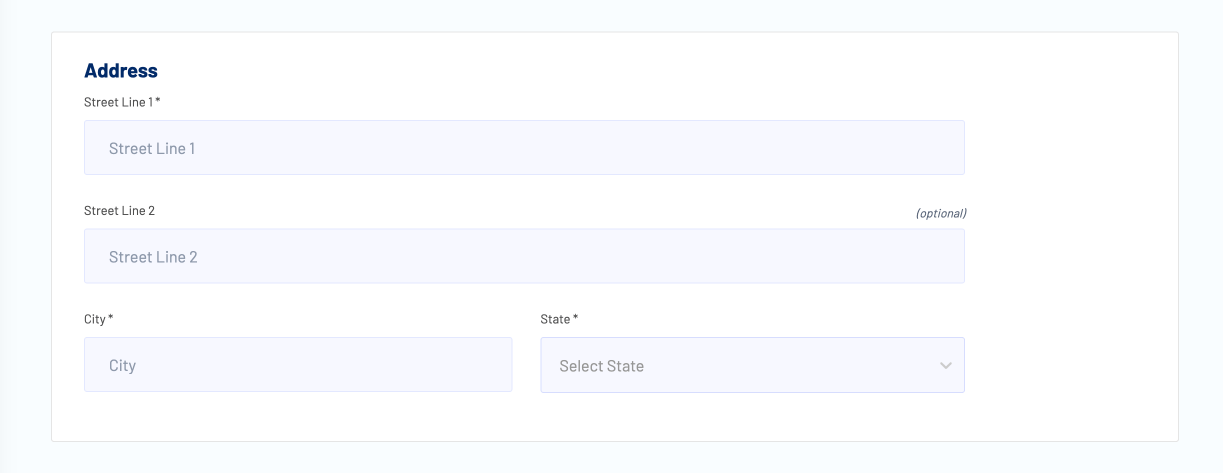
Info: Include the property's area of interest to help potential buyers locate it easily. - Add Property Description
Provide a description of the property, including features, amenities, and other selling points.
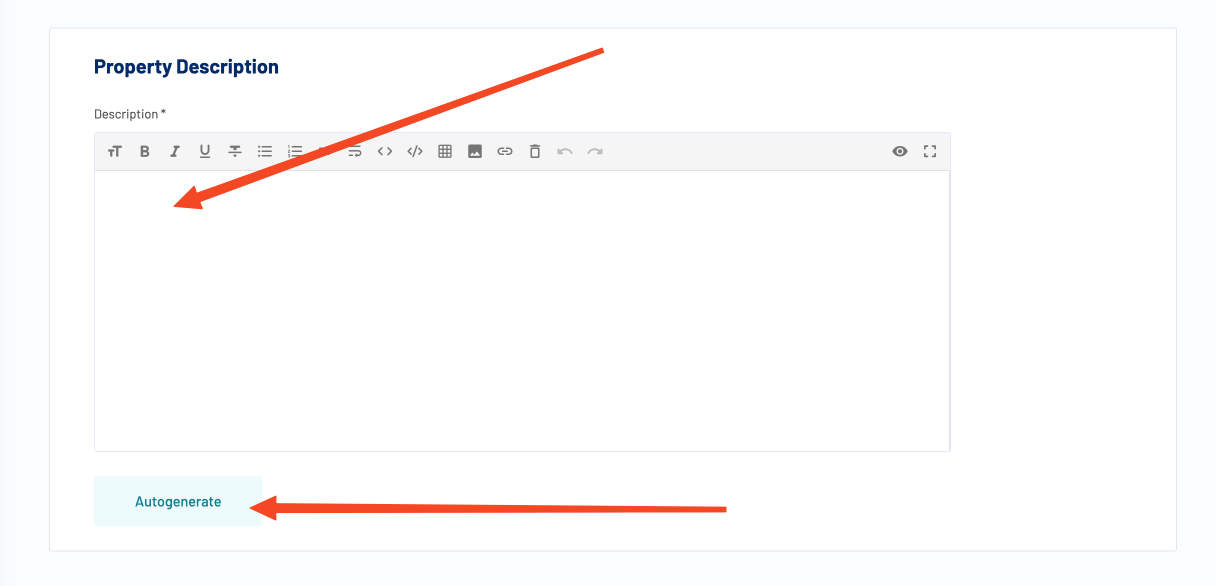
Info: Click 'Autogenerate' to create a description based on the property's features and amenities. Danger: Autogenerating the description will overwrite any existing description. Proceed with caution. - Add Property Images
Upload property images to showcase it effectively. These will be displayed on the property card.
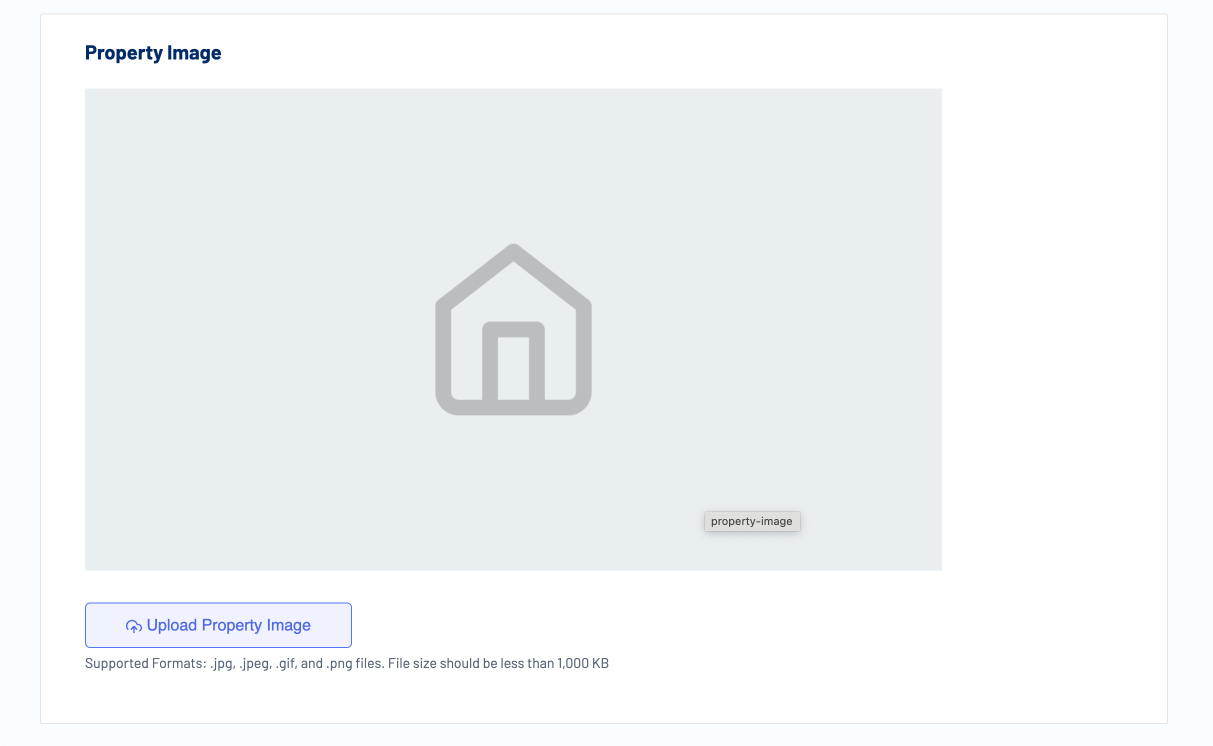
Info: Supported image formats: JPG, JPEG, PNG, and GIF. Ensure your images are clear and well-lit. Danger: Images are capped at 1MB to improve website speed. Use an online compressor like https://tinypng.com to reduce the size of larger images.
Learn how to add your properties to BALL and attract potential buyers with easy listing creation tools.
BALL Docs covers all features of the platform, including property management, user accounts, VIP services, and support resources. Each page is written to help users complete tasks efficiently & successfully.
Users can find detailed instructions, example scenarios, and guidance on best practices to navigate the BALL platform, make informed decisions, and achieve homeownership goals in Nigeria.
This documentation is designed for homeowners, investors, and platform users seeking step-by-step tutorials, tips, and advice. By following these guides, users can optimize their use of BALL and stay informed about new features & updates.
Whether you are looking to manage your account, explore properties, or access support resources, this documentation provides the insights and instructions needed for a smooth and successful experience.