VIP Account Verification on BALL
VIP Account Verification on BALL
Ready to sell your property? Verify your account now! Follow the steps below to complete your VIP account setup on BALL.
- Account Setup
Once you have created an account, you will need to enter your company information
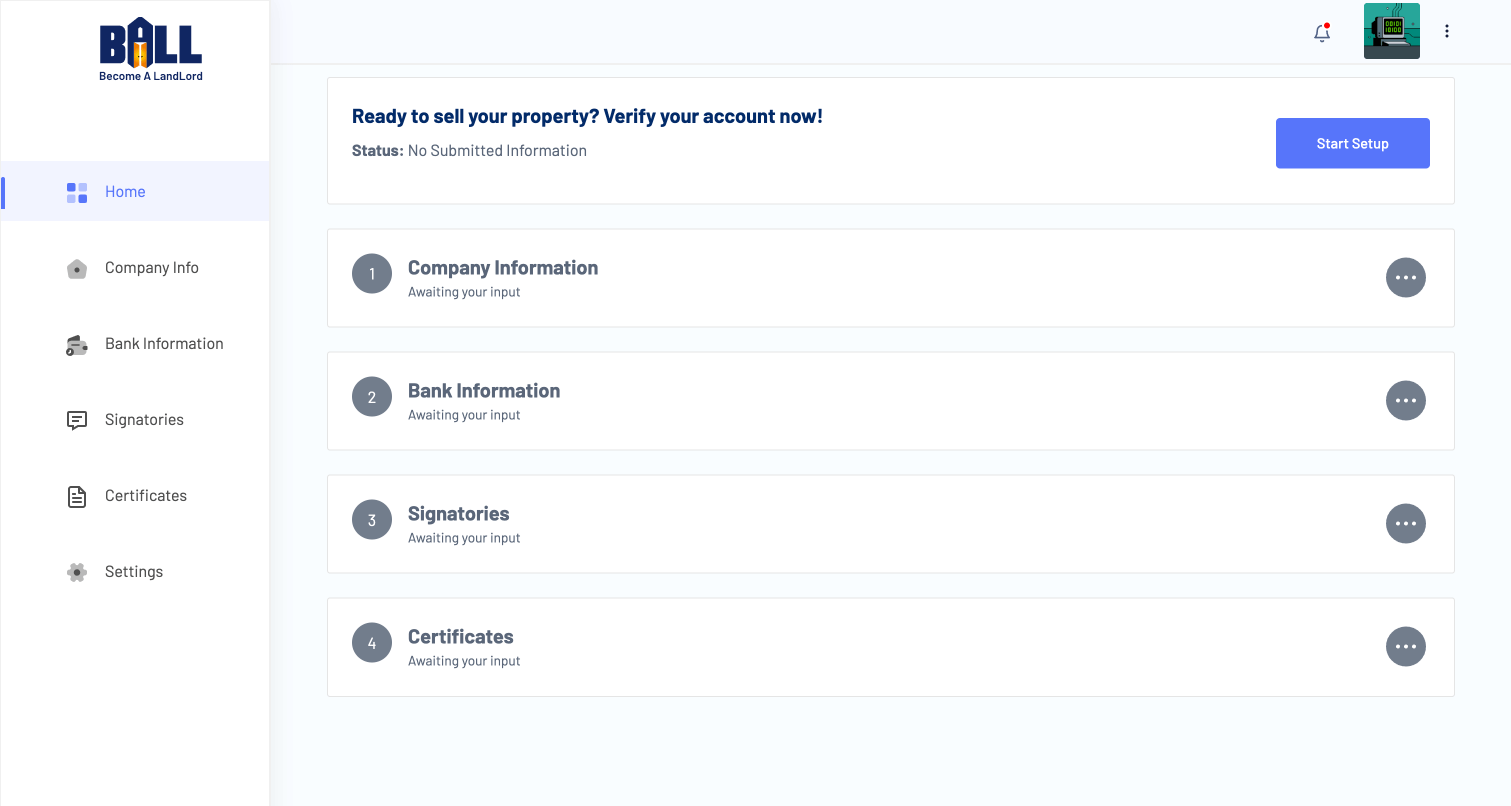
- Navigating the Steps
Click on steps directly or use the sidebar menu to navigate to the preferred step
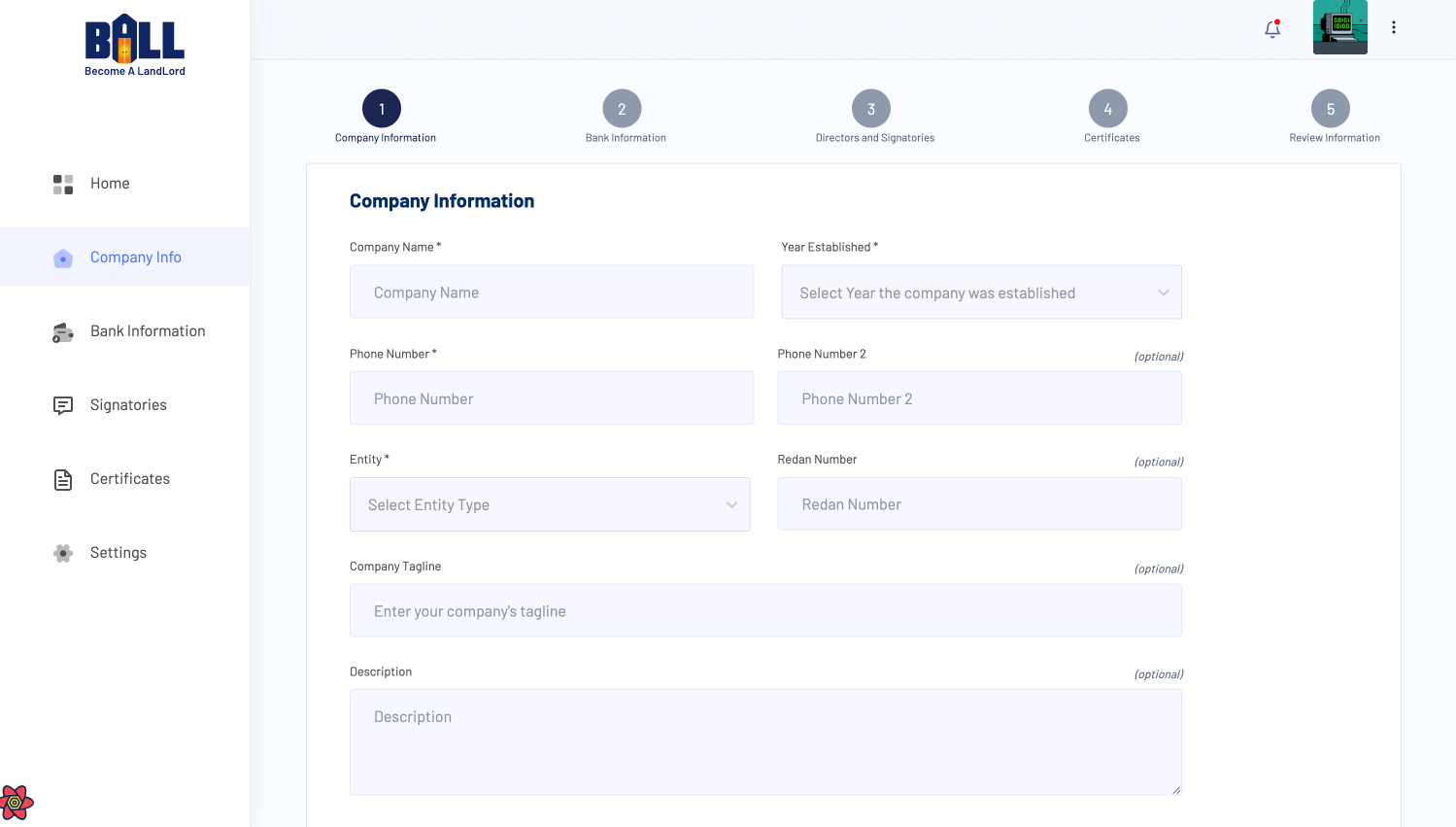
- Company Information
Enter your company's details including the name, address, and other relevant information.
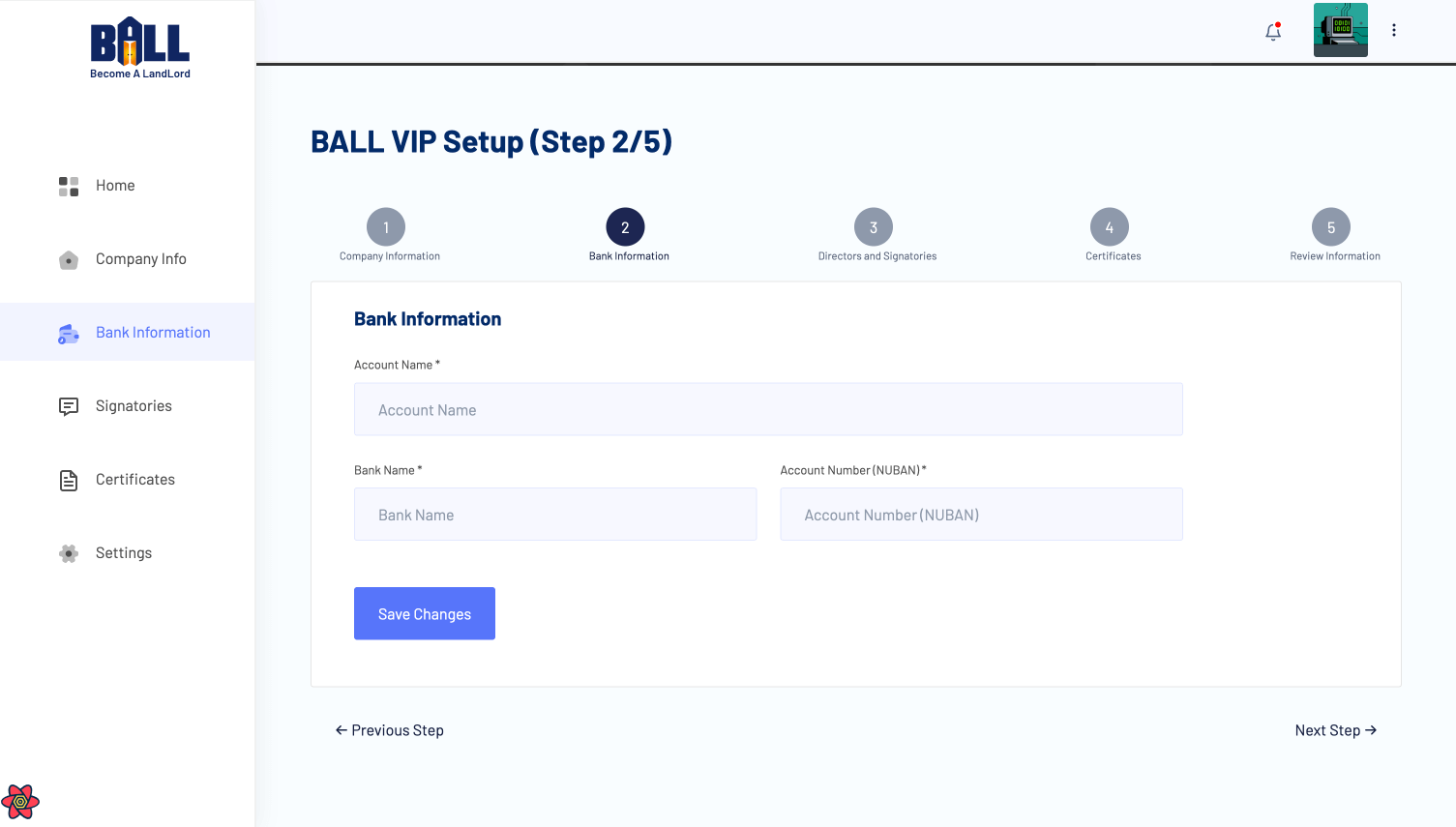
- Bank Information
Provide your bank details for transactions, including the bank name, account number, and account name
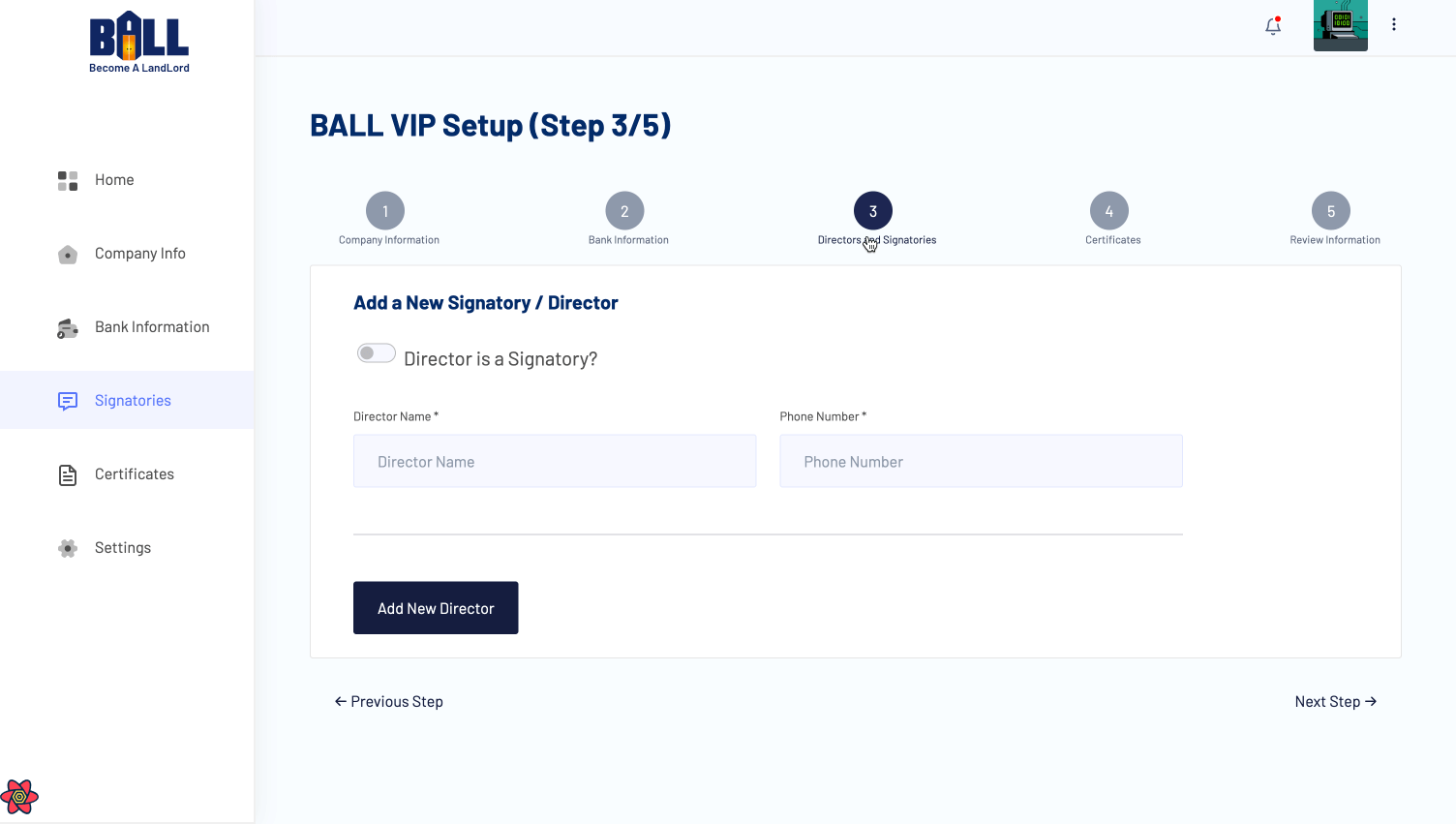
- Signatories
List the authorized signatories for your company, including their names and contact details.
- Certificates
Upload any necessary certificates or documents required for account verification.
- Account Verification
Please note that the verification will take up to 24 - 48 hours. You will receive an email notification once your account has been verified.
- Start Exploring!
Congratulations! Your BALL account is now set up and ready to use.
Ready to sell your property? Verify your account now! Follow the steps below to complete your VIP account setup on BALL.
BALL Docs covers all features of the platform, including property management, user accounts, VIP services, and support resources. Each page is written to help users complete tasks efficiently & successfully.
Users can find detailed instructions, example scenarios, and guidance on best practices to navigate the BALL platform, make informed decisions, and achieve homeownership goals in Nigeria.
This documentation is designed for homeowners, investors, and platform users seeking step-by-step tutorials, tips, and advice. By following these guides, users can optimize their use of BALL and stay informed about new features & updates.
Whether you are looking to manage your account, explore properties, or access support resources, this documentation provides the insights and instructions needed for a smooth and successful experience.